Files From Subcategories
-

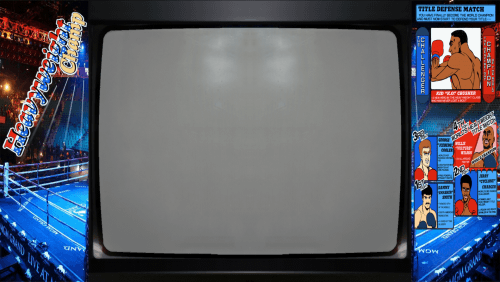
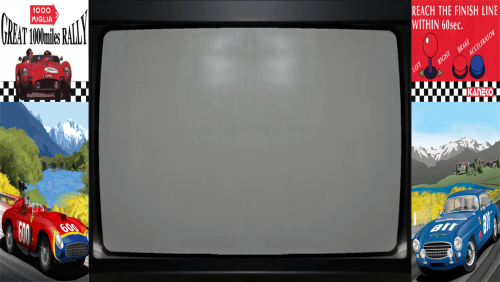
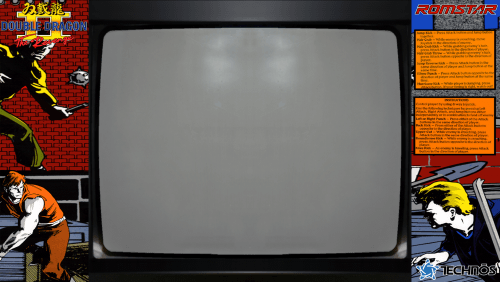
MAME Bezels 104 Files (letters U - W)
By Reevesad
Hi all,
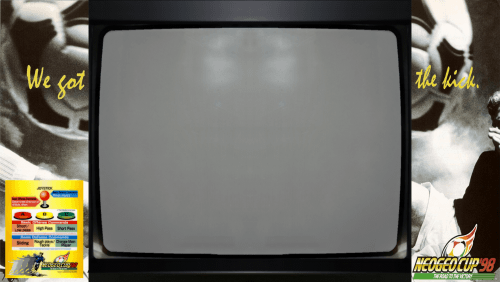
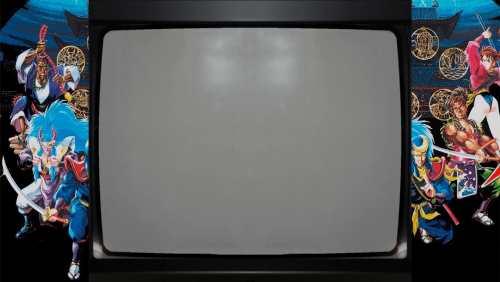
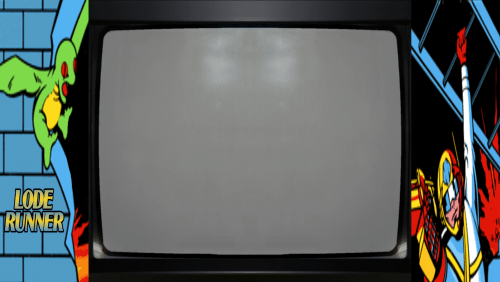
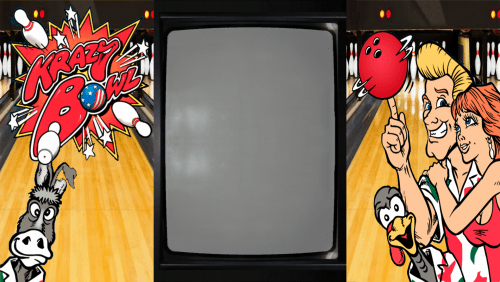
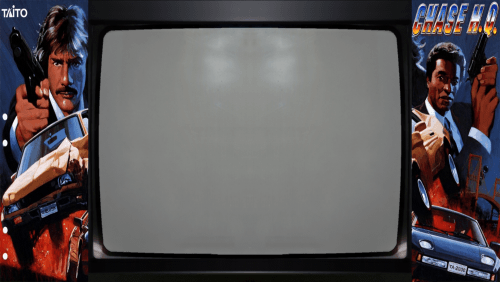
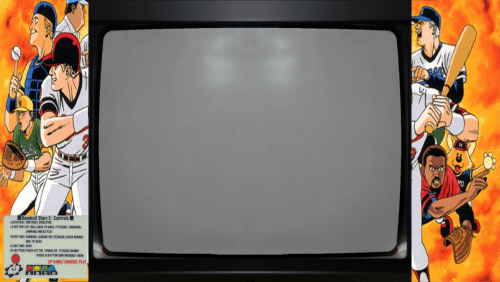
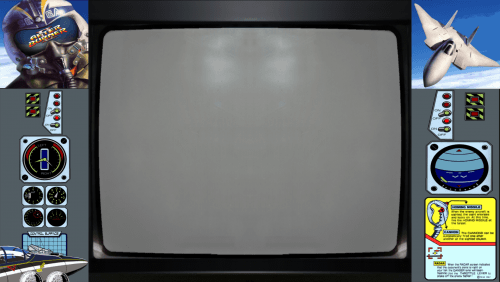
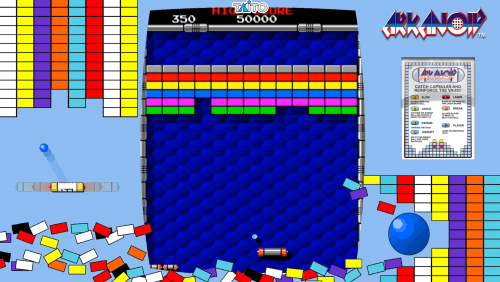
These are my Mame Bezel Art files which include a "Lay" file (so can be dumped straight into the Mame artwork folder once you unzip the main folder. These files will be ideal for use direct into Mame and on a tv with 16:9 view.
Contains 104 files (letters U-W) of bezel arts from the internet, oh plus some of my own. I've cloned into two different glass views. I've opted for the "Real Frame Clear" and "Real Frame Glass" effect and just done left and right sides rather than all round as that would just take way too long and also I found a lot of the bezels found on the internet just take up too much of the screen and to compensate this you have to change the screen size. (the art1 files included are just the originals taken from the internet).
Both mame formats 4:3 Horizontal and 3:4 Vertical have been done. Once placed in the Mame Artwork folder start a game and Tab to Video Options pick which one you prefer "Clear" or "glass" and then you have to make a slight adjustement within the "Slider" tab for both Screen Horizontal and Screen Vertical (usually around .966 for both)
The games are taken from the rom set that I currently have so title names may slightly differ from the ones you have. (i'm happy to email anyone my Excel file with all the game names vs rom names, if needed)
For the games that I could not find any artwork at all for, I've setup a few standard looking sets (6 Horizontal and 6 Vertical) which gives a view as if your in an actual arcade.
****Any comments or feedback would be much appreciated people*****
Adam
305 downloads
(0 reviews)Submitted
-
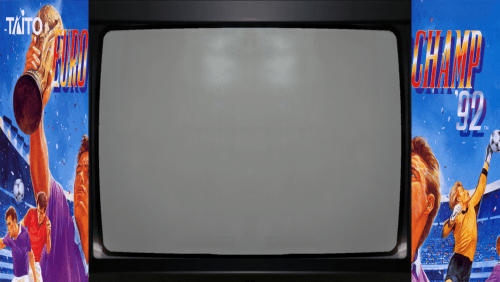
MAME Bezels 121 Files (letter T)
By Reevesad
Hi all,
These are my Mame Bezel Art files which include a "Lay" file (so can be dumped straight into the Mame artwork folder once you unzip the main folder. These files will be ideal for use direct into Mame and on a tv with 16:9 view.
Contains 121 files (letter T) of bezel arts from the internet, oh plus some of my own. I've cloned into two different glass views. I've opted for the "Real Frame Clear" and "Real Frame Glass" effect and just done left and right sides rather than all round as that would just take way too long and also I found a lot of the bezels found on the internet just take up too much of the screen and to compensate this you have to change the screen size. (the art1 files included are just the originals taken from the internet).
Both mame formats 4:3 Horizontal and 3:4 Vertical have been done. Once placed in the Mame Artwork folder start a game and Tab to Video Options pick which one you prefer "Clear" or "glass" and then you have to make a slight adjustement within the "Slider" tab for both Screen Horizontal and Screen Vertical (usually around .966 for both)
The games are taken from the rom set that I currently have so title names may slightly differ from the ones you have. (i'm happy to email anyone my Excel file with all the game names vs rom names, if needed)
For the games that I could not find any artwork at all for, I've setup a few standard looking sets (6 Horizontal and 6 Vertical) which gives a view as if your in an actual arcade.
****Any comments or feedback would be much appreciated people*****
Adam
315 downloads
(0 reviews)Submitted
-
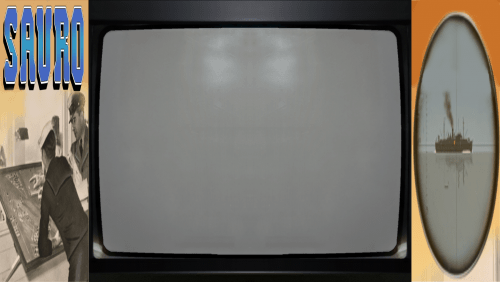
MAME Bezels 123 Files (letter S part 2)
By Reevesad
Hi all,
These are my Mame Bezel Art files which include a "Lay" file (so can be dumped straight into the Mame artwork folder once you unzip the main folder. These files will be ideal for use direct into Mame and on a tv with 16:9 view.
Contains 123 files (letter S part 2) of bezel arts from the internet, oh plus some of my own. I've cloned into two different glass views. I've opted for the "Real Frame Clear" and "Real Frame Glass" effect and just done left and right sides rather than all round as that would just take way too long and also I found a lot of the bezels found on the internet just take up too much of the screen and to compensate this you have to change the screen size. (the art1 files included are just the originals taken from the internet).
Both mame formats 4:3 Horizontal and 3:4 Vertical have been done. Once placed in the Mame Artwork folder start a game and Tab to Video Options pick which one you prefer "Clear" or "glass" and then you have to make a slight adjustement within the "Slider" tab for both Screen Horizontal and Screen Vertical (usually around .966 for both)
The games are taken from the rom set that I currently have so title names may slightly differ from the ones you have. (i'm happy to email anyone my Excel file with all the game names vs rom names, if needed)
For the games that I could not find any artwork at all for, I've setup a few standard looking sets (6 Horizontal and 6 Vertical) which gives a view as if your in an actual arcade.
****Any comments or feedback would be much appreciated people*****
Adam
293 downloads
(0 reviews)Updated
-
MAME Bezels 124 Files (letter S part 1)
By Reevesad
Hi all,
These are my Mame Bezel Art files which include a "Lay" file (so can be dumped straight into the Mame artwork folder once you unzip the main folder. These files will be ideal for use direct into Mame and on a tv with 16:9 view.
Contains 124 files (letter S part1) of bezel arts from the internet, oh plus some of my own. I've cloned into two different glass views. I've opted for the "Real Frame Clear" and "Real Frame Glass" effect and just done left and right sides rather than all round as that would just take way too long and also I found a lot of the bezels found on the internet just take up too much of the screen and to compensate this you have to change the screen size. (the art1 files included are just the originals taken from the internet).
Both mame formats 4:3 Horizontal and 3:4 Vertical have been done. Once placed in the Mame Artwork folder start a game and Tab to Video Options pick which one you prefer "Clear" or "glass" and then you have to make a slight adjustement within the "Slider" tab for both Screen Horizontal and Screen Vertical (usually around .966 for both)
The games are taken from the rom set that I currently have so title names may slightly differ from the ones you have. (i'm happy to email anyone my Excel file with all the game names vs rom names, if needed)
For the games that I could not find any artwork at all for, I've setup a few standard looking sets (6 Horizontal and 6 Vertical) which gives a view as if your in an actual arcade.
****Any comments or feedback would be much appreciated people*****
Adam
298 downloads
(0 reviews)Updated
-
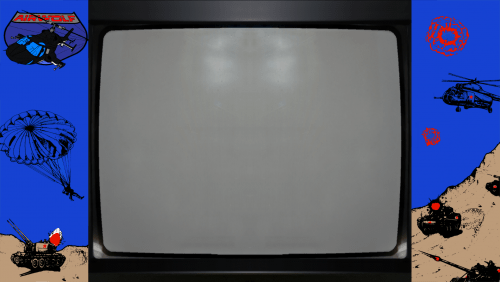
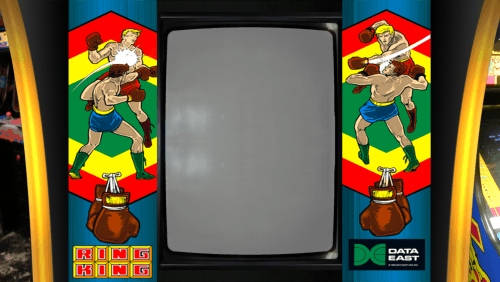
MAME Bezels 86 Files (letter R)
By Reevesad
Hi all,
These are my Mame Bezel Art files which include a "Lay" file (so can be dumped straight into the Mame artwork folder once you unzip the main folder. These files will be ideal for use direct into Mame and on a tv with 16:9 view.
Contains 86 files (letter R) of bezel arts from the internet, oh plus some of my own. I've cloned into two different glass views. I've opted for the "Real Frame Clear" and "Real Frame Glass" effect and just done left and right sides rather than all round as that would just take way too long and also I found a lot of the bezels found on the internet just take up too much of the screen and to compensate this you have to change the screen size. (the art1 files included are just the originals taken from the internet).
Both mame formats 4:3 Horizontal and 3:4 Vertical have been done. Once placed in the Mame Artwork folder start a game and Tab to Video Options pick which one you prefer "Clear" or "glass" and then you have to make a slight adjustement within the "Slider" tab for both Screen Horizontal and Screen Vertical (usually around .966 for both)
The games are taken from the rom set that I currently have so title names may slightly differ from the ones you have. (i'm happy to email anyone my Excel file with all the game names vs rom names, if needed)
For the games that I could not find any artwork at all for, I've setup a few standard looking sets (6 Horizontal and 6 Vertical) which gives a view as if your in an actual arcade.
****Any comments or feedback would be much appreciated people*****
Adam
287 downloads
(0 reviews)Submitted
-
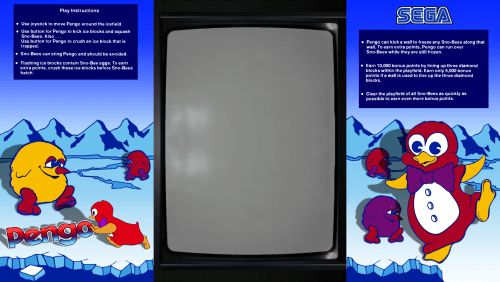
MAME Bezels 152 Files (letters P - Q)
By Reevesad
Hi all,
These are my Mame Bezel Art files which include a "Lay" file (so can be dumped straight into the Mame artwork folder once you unzip the main folder. These files will be ideal for use direct into Mame and on a tv with 16:9 view.
Contains 151 files (letters P-Q) of bezel arts from the internet, oh plus some of my own. I've cloned into two different glass views. I've opted for the "Real Frame Clear" and "Real Frame Glass" effect and just done left and right sides rather than all round as that would just take way too long and also I found a lot of the bezels found on the internet just take up too much of the screen and to compensate this you have to change the screen size. (the art1 files included are just the originals taken from the internet).
Both mame formats 4:3 Horizontal and 3:4 Vertical have been done. Once placed in the Mame Artwork folder start a game and Tab to Video Options pick which one you prefer "Clear" or "glass" and then you have to make a slight adjustement within the "Slider" tab for both Screen Horizontal and Screen Vertical (usually around .966 for both)
The games are taken from the rom set that I currently have so title names may slightly differ from the ones you have. (i'm happy to email anyone my Excel file with all the game names vs rom names, if needed)
For the games that I could not find any artwork at all for, I've setup a few standard looking sets (6 Horizontal and 6 Vertical) which gives a view as if your in an actual arcade.
****Any comments or feedback would be much appreciated people*****
Adam
505 downloads
(0 reviews)Submitted
-
MAME Bezels 75 Files (letters N - O)
By Reevesad
Hi all,
These are my Mame Bezel Art files which include a "Lay" file (so can be dumped straight into the Mame artwork folder once you unzip the main folder. These files will be ideal for use direct into Mame and on a tv with 16:9 view.
Contains 75 files (letters N - O) of bezel arts from the internet, oh plus some of my own. I've cloned into two different glass views. I've opted for the "Real Frame Clear" and "Real Frame Glass" effect and just done left and right sides rather than all round as that would just take way too long and also I found a lot of the bezels found on the internet just take up too much of the screen and to compensate this you have to change the screen size. (the art1 files included are just the originals taken from the internet).
Both mame formats 4:3 Horizontal and 3:4 Vertical have been done. Once placed in the Mame Artwork folder start a game and Tab to Video Options pick which one you prefer "Clear" or "glass" and then you have to make a slight adjustement within the "Slider" tab for both Screen Horizontal and Screen Vertical (usually around .966 for both)
The games are taken from the rom set that I currently have so title names may slightly differ from the ones you have. (i'm happy to email anyone my Excel file with all the game names vs rom names, if needed)
For the games that I could not find any artwork at all for, I've setup a few standard looking sets (6 Horizontal and 6 Vertical) which gives a view as if your in an actual arcade.
****Any comments or feedback would be much appreciated people*****
Adam
247 downloads
(0 reviews)Submitted
-
MAME Bezels 152 Files (letter M)
By Reevesad
Hi all,
These are my Mame Bezel Art files which include a "Lay" file (so can be dumped straight into the Mame artwork folder once you unzip the main folder. These files will be ideal for use direct into Mame and on a tv with 16:9 view.
Contains 152 files (letter M) of bezel arts from the internet, oh plus some of my own. I've cloned into two different glass views. I've opted for the "Real Frame Clear" and "Real Frame Glass" effect and just done left and right sides rather than all round as that would just take way too long and also I found a lot of the bezels found on the internet just take up too much of the screen and to compensate this you have to change the screen size. (the art1 files included are just the originals taken from the internet).
Both mame formats 4:3 Horizontal and 3:4 Vertical have been done. Once placed in the Mame Artwork folder start a game and Tab to Video Options pick which one you prefer "Clear" or "glass" and then you have to make a slight adjustement within the "Slider" tab for both Screen Horizontal and Screen Vertical (usually around .966 for both)
The games are taken from the rom set that I currently have so title names may slightly differ from the ones you have. (i'm happy to email anyone my Excel file with all the game names vs rom names, if needed)
For the games that I could not find any artwork at all for, I've setup a few standard looking sets (6 Horizontal and 6 Vertical) which gives a view as if your in an actual arcade.
****Any comments or feedback would be much appreciated people*****
Adam
312 downloads
(0 reviews)Submitted
-
MAME Bezels 59 Files (letter L)
By Reevesad
Hi all,
These are my Mame Bezel Art files which include a "Lay" file (so can be dumped straight into the Mame artwork folder once you unzip the main folder. These files will be ideal for use direct into Mame and on a tv with 16:9 view.
Contains 59 files (letter L) of bezel arts from the internet, oh plus some of my own. I've cloned into two different glass views. I've opted for the "Real Frame Clear" and "Real Frame Glass" effect and just done left and right sides rather than all round as that would just take way too long and also I found a lot of the bezels found on the internet just take up too much of the screen and to compensate this you have to change the screen size. (the art1 files included are just the originals taken from the internet).
Both mame formats 4:3 Horizontal and 3:4 Vertical have been done. Once placed in the Mame Artwork folder start a game and Tab to Video Options pick which one you prefer "Clear" or "glass" and then you have to make a slight adjustement within the "Slider" tab for both Screen Horizontal and Screen Vertical (usually around .966 for both)
The games are taken from the rom set that I currently have so title names may slightly differ from the ones you have. (i'm happy to email anyone my Excel file with all the game names vs rom names, if needed)
For the games that I could not find any artwork at all for, I've setup a few standard looking sets (6 Horizontal and 6 Vertical) which gives a view as if your in an actual arcade.
****Any comments or feedback would be much appreciated people*****
Adam
225 downloads
(0 reviews)Submitted
-
MAME Bezels 77 Files (letter K)
By Reevesad
Hi all,
These are my Mame Bezel Art files which include a "Lay" file (so can be dumped straight into the Mame artwork folder once you unzip the main folder. These files will be ideal for use direct into Mame and on a tv with 16:9 view.
Contains 77 files (letter K) of bezel arts from the internet, oh plus some of my own. I've cloned into two different glass views. I've opted for the "Real Frame Clear" and "Real Frame Glass" effect and just done left and right sides rather than all round as that would just take way too long and also I found a lot of the bezels found on the internet just take up too much of the screen and to compensate this you have to change the screen size. (the art1 files included are just the originals taken from the internet).
Both mame formats 4:3 Horizontal and 3:4 Vertical have been done. Once placed in the Mame Artwork folder start a game and Tab to Video Options pick which one you prefer "Clear" or "glass" and then you have to make a slight adjustement within the "Slider" tab for both Screen Horizontal and Screen Vertical (usually around .966 for both)
The games are taken from the rom set that I currently have so title names may slightly differ from the ones you have. (i'm happy to email anyone my Excel file with all the game names vs rom names, if needed)
For the games that I could not find any artwork at all for, I've setup a few standard looking sets (6 Horizontal and 6 Vertical) which gives a view as if your in an actual arcade.
****Any comments or feedback would be much appreciated people*****
Adam
258 downloads
(0 reviews)Submitted
-
MAME Bezels 102 Files (letters H - J)
By Reevesad
Hi all,
These are my Mame Bezel Art files which include a "Lay" file (so can be dumped straight into the Mame artwork folder once you unzip the main folder. These files will be ideal for use direct into Mame and on a tv with 16:9 view.
Contains 102 files (letters H - J) of bezel arts from the internet, oh plus some of my own. I've cloned into two different glass views. I've opted for the "Real Frame Clear" and "Real Frame Glass" effect and just done left and right sides rather than all round as that would just take way too long and also I found a lot of the bezels found on the internet just take up too much of the screen and to compensate this you have to change the screen size. (the art1 files included are just the originals taken from the internet).
Both mame formats 4:3 Horizontal and 3:4 Vertical have been done. Once placed in the Mame Artwork folder start a game and Tab to Video Options pick which one you prefer "Clear" or "glass" and then you have to make a slight adjustement within the "Slider" tab for both Screen Horizontal and Screen Vertical (usually around .966 for both)
The games are taken from the rom set that I currently have so title names may slightly differ from the ones you have. (i'm happy to email anyone my Excel file with all the game names vs rom names, if needed)
For the games that I could not find any artwork at all for, I've setup a few standard looking sets (6 Horizontal and 6 Vertical) which gives a view as if your in an actual arcade.
****Any comments or feedback would be much appreciated people*****
Adam
273 downloads
(0 reviews)Submitted
-
MAME Bezels 116 Files (letter G)
By Reevesad
Hi all,
These are my Mame Bezel Art files which include a "Lay" file (so can be dumped straight into the Mame artwork folder once you unzip the main folder. These files will be ideal for use direct into Mame and on a tv with 16:9 view.
Contains 116 files (letter G) of bezel arts from the internet, oh plus some of my own. I've cloned into two different glass views. I've opted for the "Real Frame Clear" and "Real Frame Glass" effect and just done left and right sides rather than all round as that would just take way too long and also I found a lot of the bezels found on the internet just take up too much of the screen and to compensate this you have to change the screen size. (the art1 files included are just the originals taken from the internet).
Both mame formats 4:3 Horizontal and 3:4 Vertical have been done. Once placed in the Mame Artwork folder start a game and Tab to Video Options pick which one you prefer "Clear" or "glass" and then you have to make a slight adjustement within the "Slider" tab for both Screen Horizontal and Screen Vertical (usually around .966 for both)
The games are taken from the rom set that I currently have so title names may slightly differ from the ones you have. (i'm happy to email anyone my Excel file with all the game names vs rom names, if needed)
For the games that I could not find any artwork at all for, I've setup a few standard looking sets (6 Horizontal and 6 Vertical) which gives a view as if your in an actual arcade.
****Any comments or feedback would be much appreciated people*****
Adam
299 downloads
(0 reviews)Submitted
-
MAME Bezels 97 Files (letters E - F)
By Reevesad
Hi all,
These are my Mame Bezel Art files which include a "Lay" file (so can be dumped straight into the Mame artwork folder once you unzip the main folder. These files will be ideal for use direct into Mame and on a tv with 16:9 view.
Contains 97 files (letters E - F) of bezel arts from the internet, oh plus some of my own. I've cloned into two different glass views. I've opted for the "Real Frame Clear" and "Real Frame Glass" effect and just done left and right sides rather than all round as that would just take way too long and also I found a lot of the bezels found on the internet just take up too much of the screen and to compensate this you have to change the screen size. (the art1 files included are just the originals taken from the internet).
Both mame formats 4:3 Horizontal and 3:4 Vertical have been done. Once placed in the Mame Artwork folder start a game and Tab to Video Options pick which one you prefer "Clear" or "glass" and then you have to make a slight adjustement within the "Slider" tab for both Screen Horizontal and Screen Vertical (usually around .966 for both)
The games are taken from the rom set that I currently have so title names may slightly differ from the ones you have. (i'm happy to email anyone my Excel file with all the game names vs rom names, if needed)
For the games that I could not find any artwork at all for, I've setup a few standard looking sets (6 Horizontal and 6 Vertical) which gives a view as if your in an actual arcade.
****Any comments or feedback would be much appreciated people*****
Adam
534 downloads
(0 reviews)Submitted
-
MAME Bezels 114 Files (letter D)
By Reevesad
Hi all,
These are my Mame Bezel Art files which include a "Lay" file (so can be dumped straight into the Mame artwork folder once you unzip the main folder. These files will be ideal for use direct into Mame and on a tv with 16:9 view.
Contains 114 files (letter D) of bezel arts from the internet, oh plus some of my own. I've cloned into two different glass views. I've opted for the "Real Frame Clear" and "Real Frame Glass" effect and just done left and right sides rather than all round as that would just take way too long and also I found a lot of the bezels found on the internet just take up too much of the screen and to compensate this you have to change the screen size. (the art1 files included are just the originals taken from the internet).
Both mame formats 4:3 Horizontal and 3:4 Vertical have been done. Once placed in the Mame Artwork folder start a game and Tab to Video Options pick which one you prefer "Clear" or "glass" and then you have to make a slight adjustement within the "Slider" tab for both Screen Horizontal and Screen Vertical (usually around .966 for both)
The games are taken from the rom set that I currently have so title names may slightly differ from the ones you have. (i'm happy to email anyone my Excel file with all the game names vs rom names, if needed)
For the games that I could not find any artwork at all for, I've setup a few standard looking sets (6 Horizontal and 6 Vertical) which gives a view as if your in an actual arcade.
****Any comments or feedback would be much appreciated people*****
Adam
306 downloads
(0 reviews)Submitted
-
MAME Bezels 97 files (letter C)
By Reevesad
Hi all,
These are my Mame Bezel Art files which include a "Lay" file (so can be dumped straight into the Mame artwork folder once you unzip the main folder. These files will be ideal for use direct into Mame and on a tv with 16:9 view.
Contains 97 files (letter C) of bezel arts from the internet, oh plus some of my own. I've cloned into two different glass views. I've opted for the "Real Frame Clear" and "Real Frame Glass" effect and just done left and right sides rather than all round as that would just take way too long and also I found a lot of the bezels found on the internet just take up too much of the screen and to compensate this you have to change the screen size. (the art1 files included are just the originals taken from the internet).
Both mame formats 4:3 Horizontal and 3:4 Vertical have been done. Once placed in the Mame Artwork folder start a game and Tab to Video Options pick which one you prefer "Clear" or "glass" and then you have to make a slight adjustement within the "Slider" tab for both Screen Horizontal and Screen Vertical (usually around .966 for both)
The games are taken from the rom set that I currently have so title names may slightly differ from the ones you have. (i'm happy to email anyone my Excel file with all the game names vs rom names, if needed)
For the games that I could not find any artwork at all for, I've setup a few standard looking sets (6 Horizontal and 6 Vertical) which gives a view as if your in an actual arcade.
****Any comments or feedback would be much appreciated people*****
Adam
297 downloads
(0 reviews)Submitted
-
MAME Bezels 134 Files (letter B)
By Reevesad
Hi all,
These are my Mame Bezel Art files which include a "Lay" file (so can be dumped straight into the Mame artwork folder once you unzip the main folder. These files will be ideal for use direct into Mame and on a tv with 16:9 view.
Contains 134 files (letter B) of bezel arts from the internet, oh plus some of my own. I've cloned into two different glass views. I've opted for the "Real Frame Clear" and "Real Frame Glass" effect and just done left and right sides rather than all round as that would just take way too long and also I found a lot of the bezels found on the internet just take up too much of the screen and to compensate this you have to change the screen size. (the art1 files included are just the originals taken from the internet).
Both mame formats 4:3 Horizontal and 3:4 Vertical have been done. Once placed in the Mame Artwork folder start a game and Tab to Video Options pick which one you prefer "Clear" or "glass" and then you have to make a slight adjustement within the "Slider" tab for both Screen Horizontal and Screen Vertical (usually around .966 for both)
The games are taken from the rom set that I currently have so title names may slightly differ from the ones you have. (i'm happy to email anyone my Excel file with all the game names vs rom names, if needed)
For the games that I could not find any artwork at all for, I've setup a few standard looking sets (6 Horizontal and 6 Vertical) which gives a view as if your in an actual arcade.
****Any comments or feedback would be much appreciated people*****
Adam
433 downloads
(0 reviews)Submitted
-
MAME Bezels 96 files (letters #-A)
By Reevesad
Hi all,
These are my Mame Bezel Art files which include a "Lay" file (so can be dumped straight into the Mame artwork folder once you unzip the main folder. These files will be ideal for use direct into Mame and on a tv with 16:9 view.
Contains 96 files (letters #-A) of bezel arts from the internet, oh plus some of my own. I've cloned into two different glass views. I've opted for the "Real Frame Clear" and "Real Frame Glass" effect and just done left and right sides rather than all round as that would just take way too long and also I found a lot of the bezels found on the internet just take up too much of the screen and to compensate this you have to change the screen size. (the art1 files included are just the originals taken from the internet).
Both mame formats 4:3 Horizontal and 3:4 Vertical have been done. Once placed in the Mame Artwork folder start a game and Tab to Video Options pick which one you prefer "Clear" or "glass" and then you have to make a slight adjustement within the "Slider" tab for both Screen Horizontal and Screen Vertical (usually around .966 for both)
The games are taken from the rom set that I currently have so title names may slightly differ from the ones you have. (i'm happy to email anyone my Excel file with all the game names vs rom names, if needed)
For the games that I could not find any artwork at all for, I've setup a few standard looking sets (6 Horizontal and 6 Vertical) which gives a view as if your in an actual arcade.
****Any comments or feedback would be much appreciated people*****
Adam
632 downloads
(0 reviews)Submitted
-
(1 review)
Updated
-
MAME Unified Bezels (Pack 1)
By Metalzoic
Unified Bezel Pack for use with MAME
Add files to your /artwork/ folder, leave files zipped
Availability - Site, FTP
If you would like to help make this collection better, please submit missing or replacement media in our Submissions Area
261,618 downloads
(5 reviews)Updated
-
MAME Controller Pack for RocketLauncher
By gooch
MAME Controller Pack for use with RocketLauncher
Unzip to your RocketLauncher Media Folder
Games Supported: 4,131
About RocketLauncher
RocketLauncher is not just a launch solution. RocketLauncher is an abstraction layer that ultimately sets the standard in emulators and standardizes key mapping commands. HyperPause is the dream of any emulator menu. The modules break the barriers of compatibility. Rom Mapping solved the lives of collectors. RocketLauncher is definitely the last word in matters of emulators. The choice of Front End has become a matter of mere affinity for design. And besides, you are not forced to follow a single solution, like MESS, you keep using your favorite emulator.
354 downloads
(0 reviews)Updated
-
MAME Artwork Pack for RocketLauncher
By gooch
MAME Artwork Pack for use with RocketLauncher
Unzip to your RocketLauncher Media Folder
Games Supported: 9,758
About RocketLauncher
RocketLauncher is not just a launch solution. RocketLauncher is an abstraction layer that ultimately sets the standard in emulators and standardizes key mapping commands. HyperPause is the dream of any emulator menu. The modules break the barriers of compatibility. Rom Mapping solved the lives of collectors. RocketLauncher is definitely the last word in matters of emulators. The choice of Front End has become a matter of mere affinity for design. And besides, you are not forced to follow a single solution, like MESS, you keep using your favorite emulator.
3,469 downloads
- rocketlauncher
- artwork
- (and 1 more)
(0 reviews)Updated
-
MAME Manuals Pack for RocketLauncher
By gooch
MAME Manuals Pack for use with RocketLauncher
Unzip to your RocketLauncher Media Folder
Games Supported: 1,438
About RocketLauncher
RocketLauncher is not just a launch solution. RocketLauncher is an abstraction layer that ultimately sets the standard in emulators and standardizes key mapping commands. HyperPause is the dream of any emulator menu. The modules break the barriers of compatibility. Rom Mapping solved the lives of collectors. RocketLauncher is definitely the last word in matters of emulators. The choice of Front End has become a matter of mere affinity for design. And besides, you are not forced to follow a single solution, like MESS, you keep using your favorite emulator.
504 downloads
(0 reviews)Updated
-
(0 reviews)
Submitted
-
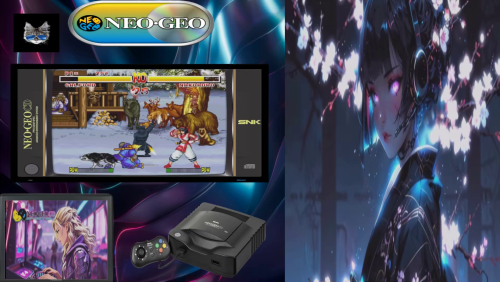
Neo Geo Arcade Bezels
By Orionsangel
I've updated my Neo-Geo bezels. I added lighter monitor screens, some extra detail and the option for no monitor screens.
I've also had a Neo Geo bezel based on the SC25-4 Cab for a while but was hesitant to release it. It didn't fit with the other Neo Geo bezels I made and the screen is a different size. I wish I had better material for it as well, but now that SNK announced the Neo Geo Mini and it's design is based off the SC25-4 Cab. I thought why not just post it. Enjoy!
1,907 downloads
(0 reviews)Updated
-
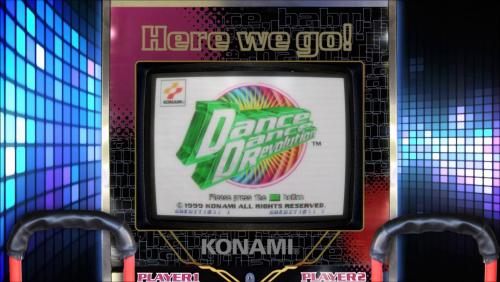
Here's my realistic Dance Dance Revolution Arcade Bezels for Mame
By Orionsangel
These Arcade Bezels were made by me and tested on Windows 10 with MameUI running at 1920x1080.
You can watch it here on my FB group page as well with full sound. - https://bit.ly/2JSf9PZ
113 downloads
(0 reviews)Updated
.thumb.png.efb72253004a756dec253bf4e4b73a7b.png)
.thumb.jpg.19814a0107c619eb37b77985d5559c19.jpg)


.thumb.png.bc5c73576b9092945e3e5c1fd7c62ced.png)
.thumb.png.080b235dd3c8c4adfeecb89ad88e1e5a.png)
.thumb.png.29617e7d107fa5261a92c9a74b78a36d.png)
(Unl).thumb.png.e4035c72b71899e5f581ce70b416af87.png)
.thumb.png.0fc460a26b65f5d511b16c1602584e25.png)